Who It's For
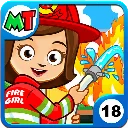
Educational games on Android suit curious players of all ages, from young children just beginning to explore everyday situations to adults who enjoy relaxed problem-solving. A good example is My Town : Fire station Rescue, which is built around the idea that everyone can be a hero and save the day. The game invites players to take on roles, share scenarios and guide characters through make-believe emergencies without pressure or timed challenges. Because the focus is on playing rather than scoring, it feels closer to Casual and Simulation titles than to competitive Action or Racing fare.
Typical Features and Mechanics
Typical educational titles mix open-ended exploration with gentle prompts: players tap objects, interact with characters, dress up roles and sequence simple tasks. Puzzles appear naturally, so reasoning and memory get a workout while the story stays calm. In My Town : Fire station Rescue, the mechanics centre on role-play inside a fire station, letting players drive missions, use equipment and help colleagues. This hands-on approach mirrors neighbouring genres such as Puzzle and Simulation, and because sessions are short, the game suits bite-sized play sessions on a phone or tablet.
What to Check Before Installing
Before installing, open the page and look at the download size and the minimum Android version required, because large games may not fit older devices. The title carries a rating of 4.3 and around 10,000 installs, giving a rough sense of community reception. Also check whether in-app purchases or ads are present, and keep in mind that popular children's games often offer optional extras. Reading recent reviews helps confirm performance on your particular device, and adjusting settings can reduce interruptions for younger players. A quick check now saves frustration later.